 PDFelement User Guide for Mac" />
PDFelement allows you to quickly identify the content difference between two PDF files on Mac.
- Navigate to the homepage of PDFelement for Mac and select the "Compare PDFs" tab.
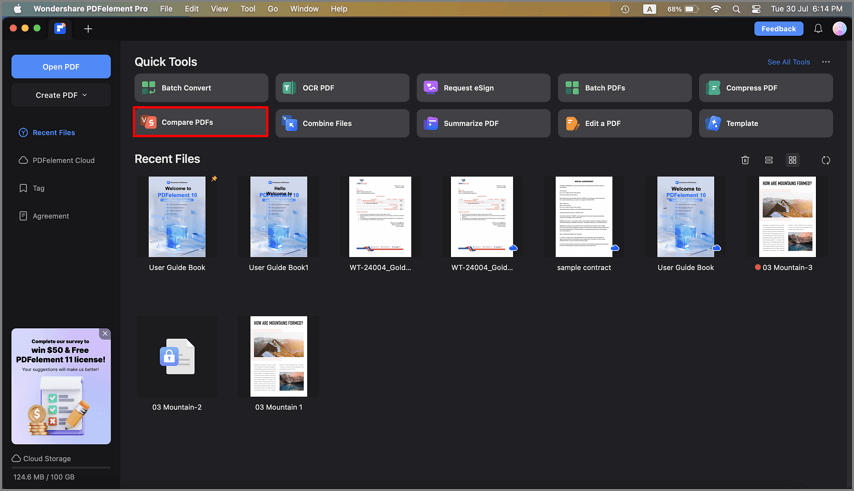
Compare PDFs tab
- In the Compare PDF window that appears, upload the two PDF files you want to compare by adding them to the "Old File" and "New File" boxes.
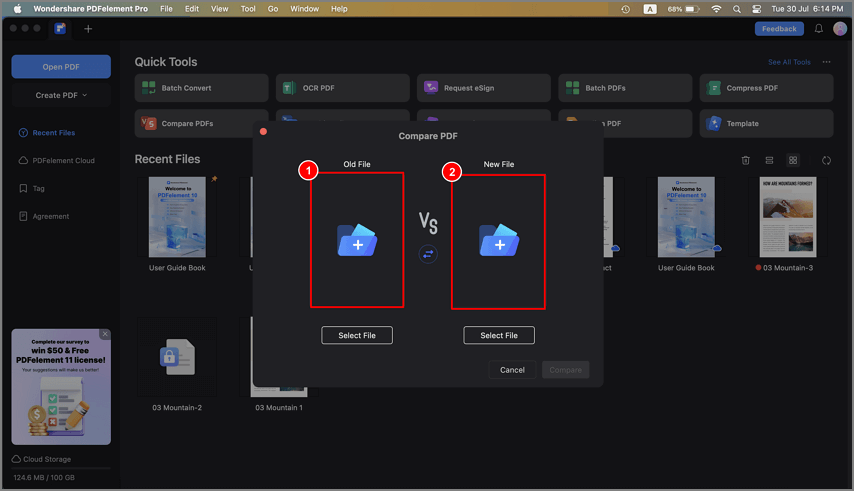 and new file" />
Upload old file and new file
- Once both files are uploaded, click the "Compare" button to initiate the comparison process.
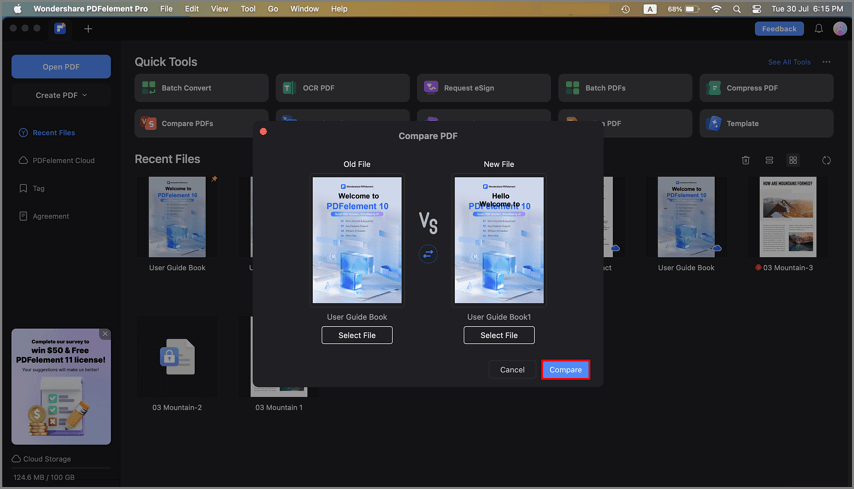
Compare PDF files button
- PDFelement will then display the two PDF files side by side, highlighting deletions, modifications, and insertions in distinct colors.
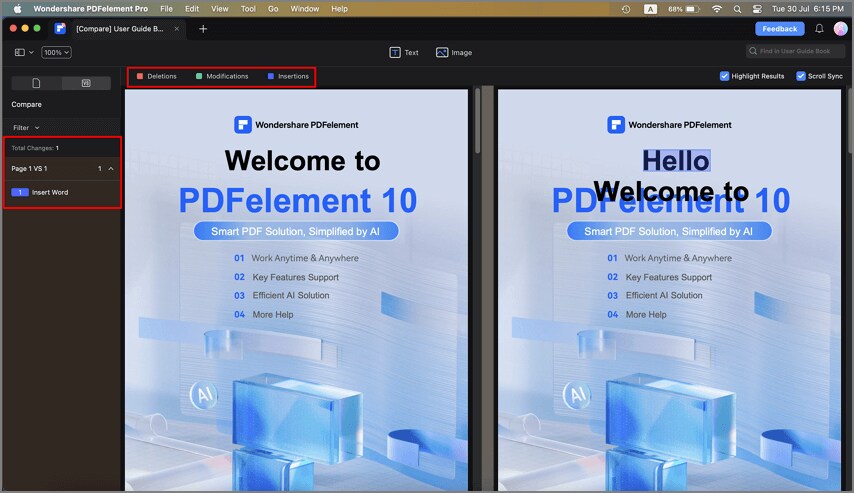
Highlight differences in distinct colors
- Use the left Compare Panel to filter and navigate through the identified differences effortlessly.
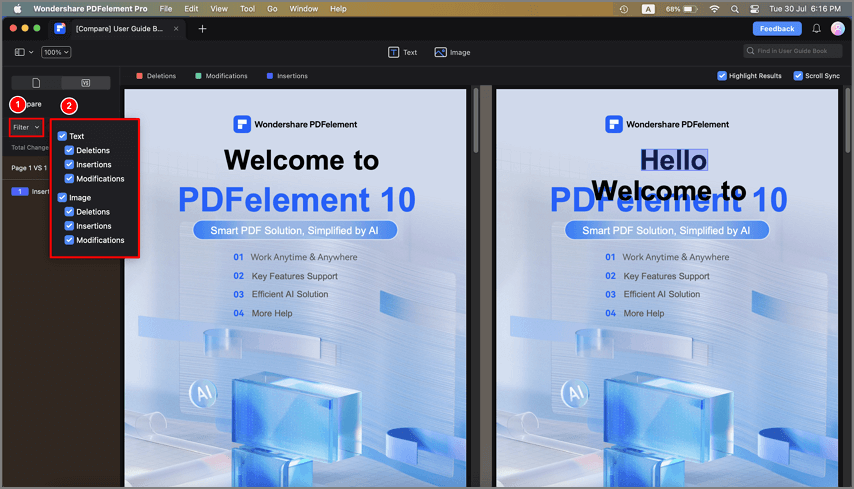
Filter comparison options
